How to Spot the Ghost Pins Pushing Your Albuquerque Business Off the Map
Imagine waking up on a Tuesday morning in Rio Rancho. You’ve spent years building your plumbing business, investing in your fleet, and meticulously managing your online reputation. Usually, your phone starts ringing by 7:30 AM with homeowners facing leaky water heaters or clogged drains. But today, the phone is silent. You check your google business profile seo settings, thinking maybe a credit card expired for an ad, but everything looks fine. Then, you search for your business on Google Maps. Your heart sinks. Your business pin, which should be firmly planted near Highway 528, is nowhere to be found. After zooming out, you find it – floating in the middle of the Jemez Mountains, sixty miles away from your actual place of business.
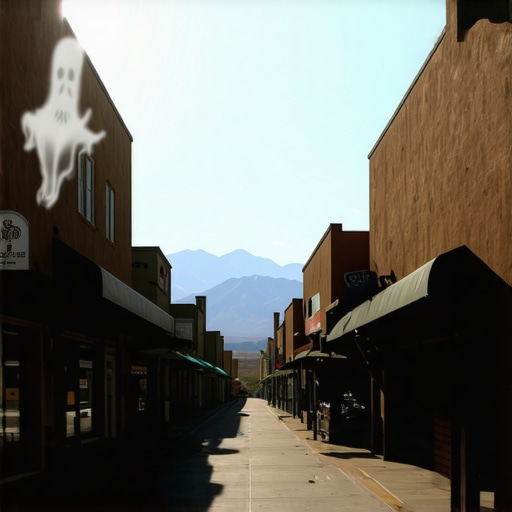
You haven’t just lost a few clicks; you’ve been “ghosted.” This is the reality of the “Ghost Pin” or “Pin Moving Scam,” a malicious tactic currently targeting Albuquerque’s most competitive local industries. In the world of local search, proximity is king. When a scammer moves your pin to a remote area or a different neighborhood, Google’s algorithm immediately decides you are no longer relevant to customers in your actual service area. Your rankings collapse, your leads dry up, and your revenue vanishes overnight.
According to research by BrightLocal, scammers frequently exploit the “Suggest an Edit” feature to move pins hours away from their legitimate locations. They do this to clear the “Map Pack” for their own listings or those of their clients. As a local SEO expert at 505 Internet Marketing, I’ve seen this happen to contractors, lawyers, and healthcare providers across New Mexico. It is an urgent threat that requires a proactive defense. In this guide, I will show you how to spot these ghost pins and exactly what to do to reclaim your rightful spot on the Albuquerque map.
Why Your Albuquerque Map Pin Suddenly Vanished (And How to Get It Back)
What are “Ghost Pins”? Understanding the Pin Moving Scam
The term “Ghost Pin” refers to a legitimate Google Business Profile (GBP) that has been surreptitiously moved to an incorrect geographic location. This isn’t a glitch in Google’s software; it is a calculated exploit of Google’s crowdsourced data model. Google allows users to “Suggest an Edit” to any business listing to keep the map updated. While this is helpful for correcting a typo in a phone number or updating holiday hours, it is a massive vulnerability that bad actors use to sabotage competitors.
When a scammer targets your business, they don’t necessarily try to delete your profile. Instead, they suggest a location change. They might move your pin to a residential backyard, a vacant lot in the South Valley, or even into the middle of the Rio Grande. Because Google’s automated systems often trust “Local Guides” or accounts with a history of edits, these changes can be approved without any manual review from a human at Google. Once the pin is moved, the google business profile seo value you’ve built – your reviews, your age, and your relevance – is tethered to a location where no one is searching for you.
The technical fallout is devastating. Google’s local ranking algorithm relies heavily on three factors: Relevance, Prominence, and Proximity. By moving your pin, the scammer breaks the Proximity signal. If a homeowner in the Northeast Heights searches for “emergency roofer,” and your pin has been moved to Los Lunas, you will no longer appear in the top three results (the Map Pack), even if you have 500 five-star reviews. To learn more about how to protect your rankings from these technical exploits, you should invest in professional google business profile seo services that monitor your listing 24/7.
This scam is particularly effective because it is subtle. Unlike a suspension, where you get an email from Google saying your profile is down, a pin move often happens silently. You might only notice it when your “Request Directions” or “Click to Call” metrics in your GBP Insights dashboard take a vertical dive. By the time many Albuquerque business owners realize what has happened, they have already lost thousands of dollars in potential contracts.
Why Albuquerque Businesses are Prime Targets for Google Business Profile SEO Sabotage
Albuquerque is a unique market. We are a mid-sized city with high-density competition in specific “high-ticket” niches. If you are a roofer, a personal injury attorney, or an HVAC technician in the 505, you know that being in the top three spots of the Google Map Pack is the difference between a multi-million dollar year and struggling to keep the lights on. This high stakes environment creates a breeding ground for unethical “black hat” SEO tactics.
In a massive metro like Los Angeles or New York, moving a competitor five miles might not matter as much because the search volume is so distributed. However, in Albuquerque, moving a competitor from the North Valley to the middle of the West Mesa can effectively push them out of the search radius for the entire city’s most affluent customer bases. Scammers know that if they can “ghost” the top two competitors in the “Albuquerque Roofing” category, their own low-quality or lead-gen sites will naturally slide into those lucrative spots.
We see this most often in industries where the “Service Area Business” (SAB) model is common. Because these businesses often don’t have a traditional storefront that customers visit, Google’s verification of their physical location is sometimes less stringent than a brick-and-mortar retail shop. Scammers exploit this ambiguity. They bet on the fact that the business owner is too busy out in the field to check their map placement every day. This is why it’s critical to understand How Albuquerque Roofers Can Steal the Map Pack Back From National Competitors who might be using these deceptive tactics to crowd out local shops.
Furthermore, Search Engine Land has reported that this “new threat” of deceptive suggested edits is becoming more sophisticated. Scammers are now using bot networks to suggest the same edit multiple times, making the change look “verified” to Google’s AI. In New Mexico, where many small businesses are family-owned and lack a dedicated IT department, we are often the “low-hanging fruit” for these digital predators.
How to Spot the Red Flags: Is Your Pin Being Targeted?
Detecting a Ghost Pin requires vigilance. You cannot assume that because your profile was fine yesterday, it is fine today. Here are the primary red flags that your google business profile seo is being undermined by a pin-moving scam:
1. The “Google has updated your business information” Notification
This is your first and most important warning. Google will often send an automated email or a dashboard notification saying they have “accepted updates” for your business. Many owners ignore these, thinking Google just updated a minor detail or adjusted a map coordinate for accuracy. Never ignore these. If you see a notification regarding your address or map pin that you did not initiate, check it immediately. Scammers rely on your complacency.
2. A Sudden Drop in “Request Directions” or “Call” Clicks
If your business is healthy, your GBP Insights should show a relatively steady trend of user actions. A sharp, unexplained drop-off – specifically in “Request Directions” – is a classic sign that your pin is no longer where customers expect it to be. If your pin is moved to a location that makes no sense (like a park or a highway interchange), customers won’t click for directions, and Google will stop showing you to them. To keep a closer eye on your position, using a google maps rank tracker can provide daily updates on your pin’s physical “rank” across the city.
3. Searching for Your Business Name Yields Strange Results
Perform a “branded search” (searching for your exact business name) once a week. When the knowledge panel appears on the right side of the search results, look at the map. Does the red pin look like it’s in the right neighborhood? Zoom in. If your office is on Menaul Blvd but the pin is showing up on a residential street in Taylor Ranch, you have been targeted. Scammers often move pins to residential areas to trigger “verification” flags from Google, hoping to get your account suspended entirely.
4. Your Competitors are Suddenly Outranking You Everywhere
If a competitor who previously had no reviews and a poor website suddenly jumps to the #1 spot while you disappear, it’s time for an audit. They may not just be doing better SEO; they may be actively pushing you off the map. You need to know How to Audit Your Albuquerque Competitors Without Overcomplicating Your SEO to see if their growth is organic or malicious.
Step-by-Step: Reclaiming Your Spot on the Map
If you discover that your pin has been moved, you must act fast. Every hour your pin is in the wrong place is an hour you are losing money to a scammer. Follow this protocol to restore your google business profile seo standing:
Step 1: Reject the Edits in Your Dashboard
Log into your Google Business Profile manager. Look for the “Updates” section. If the scammer’s edit is still “pending” or recently “applied,” you often have the option to “Discard” or “Reject” the changes. Re-enter your correct address and manually drag the pin back to its exact location. Google usually trusts the owner’s manual override, but you must be the one to do it.
Step 2: Check for “NAP” Consistency
Google’s algorithm tries to verify your location by looking at the rest of the internet. This is called NAP (Name, Address, Phone) consistency. If your pin was moved, ensure that your website, Yelp profile, Facebook page, and local chamber of commerce listings all show your correct address. If your NAP is consistent across the web, Google is much more likely to “lock” your pin in the correct place and reject future malicious edits. This is a fundamental part of any google business profile optimization strategy.
Step 3: Use the Business Redressal Form
If the pin move has resulted in a “Suspended” status – which often happens if a scammer moves your pin to a “blacklisted” or suspicious location – you cannot fix it through the dashboard alone. You must use the “Business Redressal Complaint Form.” This is a formal request to Google’s anti-spam team. You will need to provide proof of your physical location, such as a utility bill, a business license, or a photo of your permanent signage. For a detailed walkthrough, see The Panic-Free Guide to Getting Your Albuquerque Google Business Profile Reinstated Fast.
Step 4: Report the Saboteur (If Possible)
If you can identify the “Ghost Pins” that have taken your place – often fake listings with no real address or stolen photos – report them. Use the “Suggest an Edit” feature yourself to mark those fake listings as “Does not exist” or “Spam.” In Albuquerque, the local business community needs to look out for one another. To learn more, read How to Kick Spammers Out of the Albuquerque Map Pack for Good.
Proactive Defense: Tools and Monitoring for Albuquerque Businesses
Manual checking is a start, but as your business grows, you can’t spend every morning hunting for your own pin on a map. You need a proactive defense system. The DAC Group has noted that pin exploits lead to “massive drops in local rankings” because the proximity signal is broken so fundamentally. To prevent this, you should utilize professional local seo services that include 24/7 monitoring.
Modern local seo tools can alert you the moment your map coordinates change. These tools “ping” Google’s API and check your pin’s latitude and longitude against a saved “golden record.” If there is a discrepancy, you get an SMS or email alert immediately, allowing you to revert the change before it impacts your weekend call volume.
In addition to monitoring, you should focus on building “Prominence.” The more authoritative your business is – the more high-quality Albuquerque-based backlinks you have, and the more genuine local reviews you collect – the harder it is for a scammer to move your pin. Google’s AI is less likely to accept a “Suggest an Edit” for a highly authoritative, well-established business than it is for a new or poorly managed profile. Investing in a comprehensive google maps ranking service ensures that your profile is too “heavy” for a scammer to easily push around.
Finally, consider working with a local search optimization expert who understands the Albuquerque landscape. We know which neighborhoods are currently being targeted and which competitors are using aggressive tactics. A professional audit can identify vulnerabilities in your profile before a scammer does.
Conclusion: The Path Forward for Albuquerque’s Local Economy
Ghost Pins are more than just an SEO headache; they are a direct threat to the livelihoods of Albuquerque’s small business owners. When a local plumber, roofer, or attorney is pushed off the map, the entire community suffers. Customers end up being funneled to out-of-state lead-generation companies or “fly-by-night” operations that don’t offer the same level of service or accountability as our local shops.
Protecting your google business profile seo is an ongoing battle. It requires a combination of vigilance, technical knowledge, and the right tools. Don’t wait until your phone stops ringing to check your map pin. Audit your profile today, ensure your NAP consistency is ironclad, and consider using professional monitoring to keep the scammers at bay.
If you suspect your business has been targeted by a pin-moving scam, or if you’ve seen a sudden drop in your Google Maps rankings, don’t panic – but do act. Contact Steve Madigan at 505 Internet Marketing for a professional audit and a customized defense strategy. Let’s keep Albuquerque businesses where they belong: right on the map.